Exporting 360° Video From Godot: Eight Days Building Godot360 Studio
Godot has no way to render a 360° video you can look around in. I built one: six synchronized cameras, an equirectangular shader, FFmpeg and spherical metadata, driven from a bottom panel. Here's what broke at the cube seams and how I fixed it.
I had a small Godot scene called UMBRAL: a dark room where things react when you look at them. A golden core that changes if you stare at it for a second. An echo behind you that pulses when you glance back. It only works if you’re standing inside it. A normal screen recording flattens that into my camera path, and the whole point was that the viewer picks where to look.
YouTube has supported exactly that since 2015. Upload an equirectangular MP4 with the right metadata and the player lets you drag around the sphere on desktop or turn your phone. Godot doesn’t ship an exporter for it. So I built one.
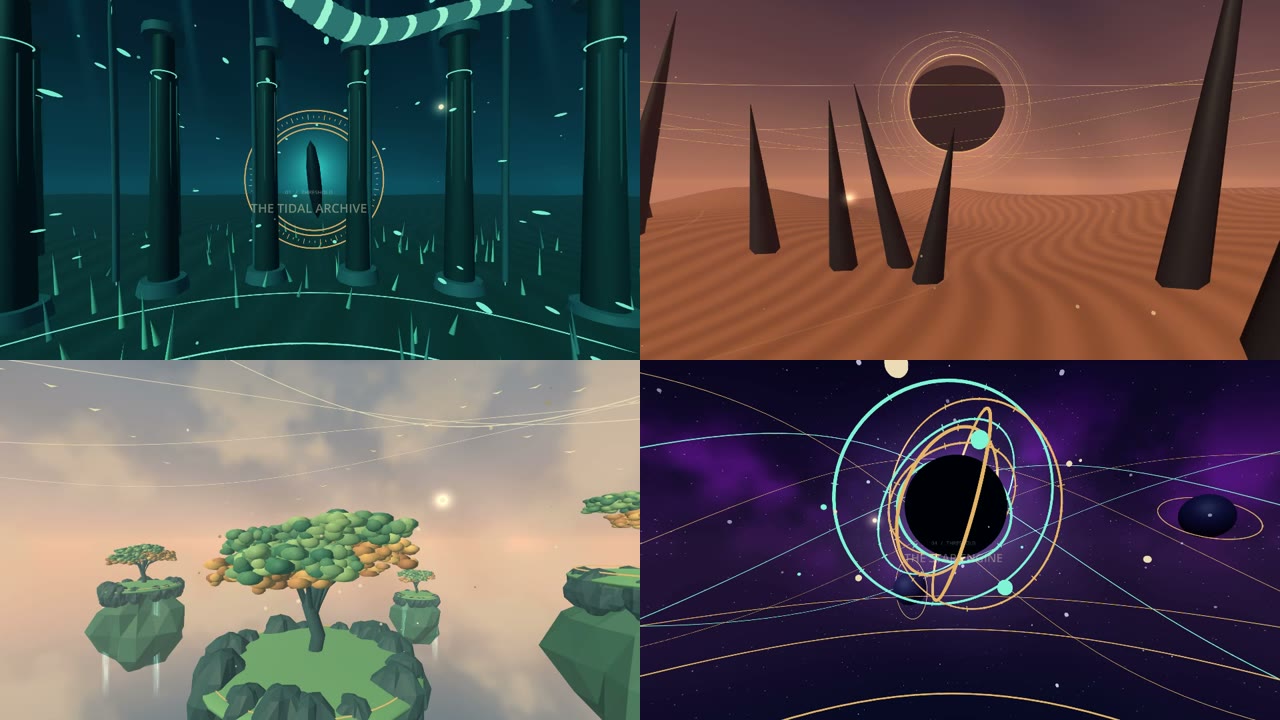
Eight days later, Godot360 Studio 1.0.0 is on GitHub, MIT-licensed, with four finished films on a YouTube playlist. This post is about the interesting parts: how six cameras become one sphere, why the seams between them were the real work, and what it costs to render a minute at 8K.
What a 360° video actually is
A 360° video is an ordinary MP4 whose frames are 2:1 equirectangular panoramas. The horizontal axis is longitude, the vertical axis is latitude, and the top and bottom rows are stretched to a single point each, like a world map. A 360-capable player wraps that image around the viewer and shows the part they’re facing.
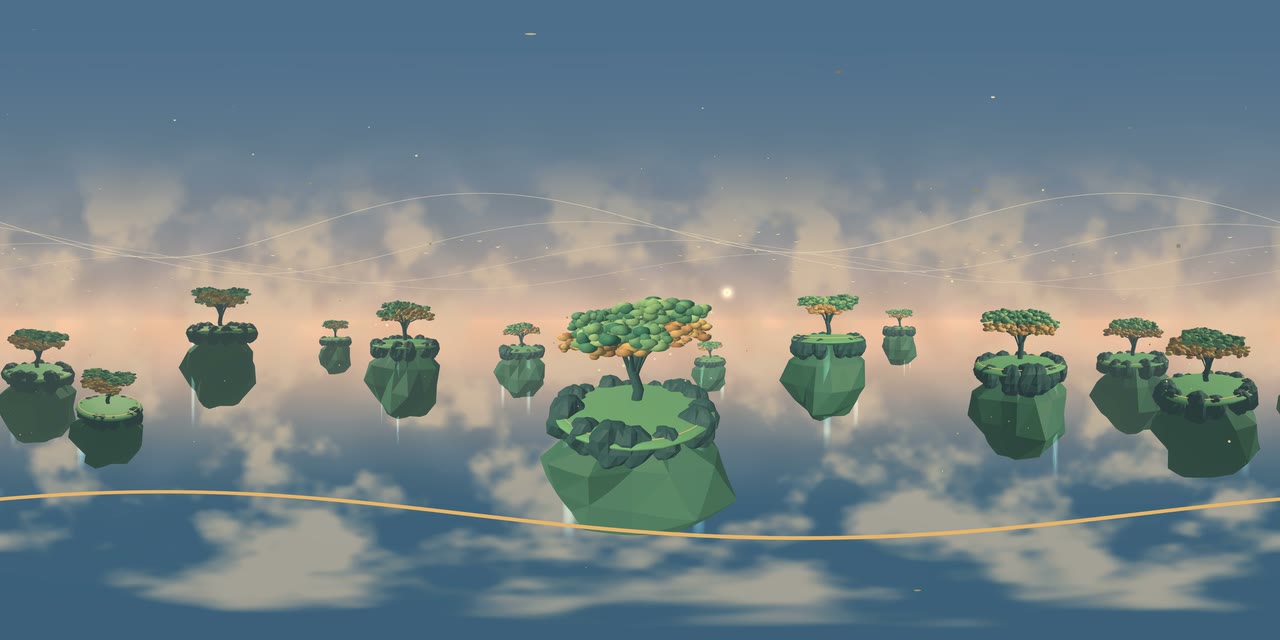
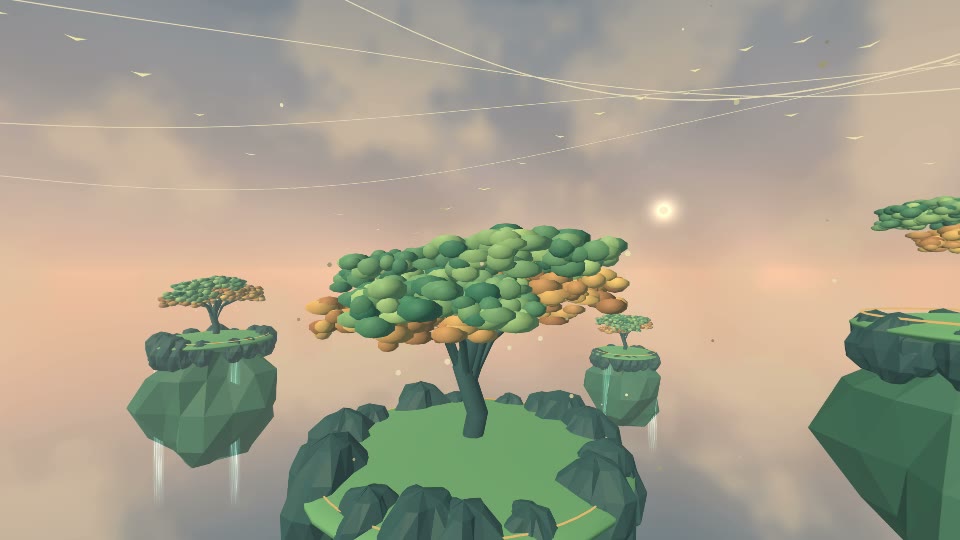
The only thing that makes the player treat it as spherical is metadata inside the container. Everything else is a rendering problem: how do you get a full sphere out of an engine that only knows how to draw perspective frustums?
Six cameras, one world
The standard answer is a cube map. Render six 90° views (right, left, up, down, front, back) from the same point, then a shader converts each panorama pixel into a direction, picks the face that direction hits and samples it.
The rig is a Node that builds six SubViewports. The important detail is that they all share the source camera’s World3D, so the scene advances exactly once per frame and every face sees the same simulation state:
const DIRECTIONS: Array[Vector3] = [Vector3.RIGHT, Vector3.LEFT, Vector3.UP,
	Vector3.DOWN, Vector3.FORWARD, Vector3.BACK]
const UP_VECTORS: Array[Vector3] = [Vector3.UP, Vector3.UP, Vector3.BACK,
	Vector3.FORWARD, Vector3.UP, Vector3.UP]

for i in range(6):
	var viewport := SubViewport.new()
	viewport.size = Vector2i(face_size, face_size)
	viewport.world_3d = source.get_world_3d()
	viewport.use_hdr_2d = false  # faces land as tone-mapped SDR sRGB
	for property in VIEWPORT_SETTINGS:  # msaa, taa, fsr, shadow atlas...
		viewport.set(property, source.get_viewport().get(property))
	add_child(viewport)
	var view := Camera3D.new()
	viewport.add_child(view)
	material.set_shader_parameter("face_" + FACE_NAMES[i], viewport.get_texture())
Every frame, each face camera copies the source camera’s environment, attributes, compositor and cull mask, then rotates its basis:
var local_basis := Basis.looking_at(DIRECTIONS[i], UP_VECTORS[i])
var transform := source.get_camera_transform()
view.global_transform = Transform3D(transform.basis.orthonormalized() * local_basis, transform.origin)
A ColorRect on a high CanvasLayer runs the assembly shader. Longitude zero looks down Godot’s -Z axis, and the direction math is a few lines:
float longitude = (UV.x - 0.5) * TAU;
float latitude = (0.5 - UV.y) * PI;
vec3 d = vec3(sin(longitude) * cos(latitude), sin(latitude), -cos(longitude) * cos(latitude));
vec3 a = abs(d);
if (a.x >= a.y && a.x >= a.z) {
	vec2 p = vec2(d.x > 0.0 ? d.z : -d.z, -d.y) / a.x;
	result = texture(d.x > 0.0 ? face_right : face_left, p * 0.5 + 0.5);
}
// ...same for y and z
That’s the whole projection. It was working on day one. The other seven days were about everything around it.
The pipeline around the rig
The editor panel never renders anything itself. It writes a job.json recipe and launches a headless coordinator, which in turn starts a separate GPU worker under Godot’s Movie Maker mode with --fixed-fps and --write-movie. Movie Maker gives me a deterministic frame clock and, as a bonus, records the scene’s stereo audio to a WAV.
Each frame, the worker assembles the panorama, reads it back and writes a lossless PNG. The “Fast” storage mode pipes raw frames straight into FFmpeg’s stdin through a blocking pipe, so a slow disk applies backpressure instead of queueing frames in RAM. Then the coordinator:
- Encodes H.264/AAC with a real sRGB to limited-range BT.709 conversion, mixing scene audio with an optional soundtrack, offsets and gain.
- Injects spherical metadata. This is plain GDScript with no dependency on Google’s spatial-media Python tool: both the legacy XMP
GSphericalblock and thesv3d/st3dboxes go into the MP4. - Runs FFprobe and a set of technical checks, and only a verified file gets the final
video-360.mp4name.
Cancellation stops at a frame boundary and kills the encoder. Partial jobs keep their frames, so a completed capture can be re-encoded with different compression or audio without rendering the scene again.
Test one second before you render forty gigabytes
The thing I use most is a button called Test 1 second. It renders the first second with the exact recipe (scene, camera, face size, FPS, storage mode, CRF), runs the whole encode and verification, and then extrapolates time and disk for the full duration.
I measured how honest those estimates are with four one-minute production exports on an RTX 3060 Ti:
| Renderer / output | Whole pipeline | Retained PNG capture |
|---|---|---|
| Forward+ / 4K | 710 s | 13.96 GiB |
| Mobile / 4K | 704 s | 14.33 GiB |
| Forward+ / 8K | 1,531 s | 41.64 GiB |
| Mobile / 8K | 1,482 s | 42.37 GiB |
Across those four runs the estimator overestimated time by 11–22% and got retained storage within ±1.5%. The rule of thumb that fell out: budget roughly 14 GiB per minute of 4K and 42 GiB per minute of 8K, and about 12 and 25 minutes of wall time respectively on that machine.
Where the seams come from
If you naively stitch six Godot viewports you get a sphere with visible cube edges. Three separate causes, three separate fixes.
Auto exposure is per face. Each SubViewport meters its own luminance, so the face containing the sun is darker than its neighbours and you get brightness blocks. The fix is an explicit Fixed (authored) capture exposure that disables automatic metering in worker-owned CameraAttributes while keeping exposure animation and everything else from the scene. On the moving-light fixture it cut the measured boundary discontinuity by 99.7% and matched an independently authored oracle frame for frame.
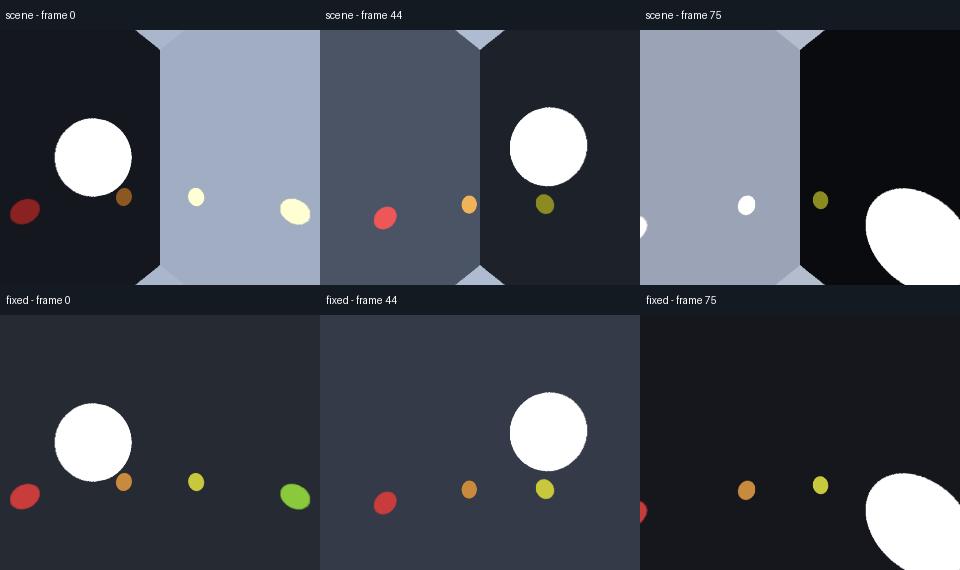
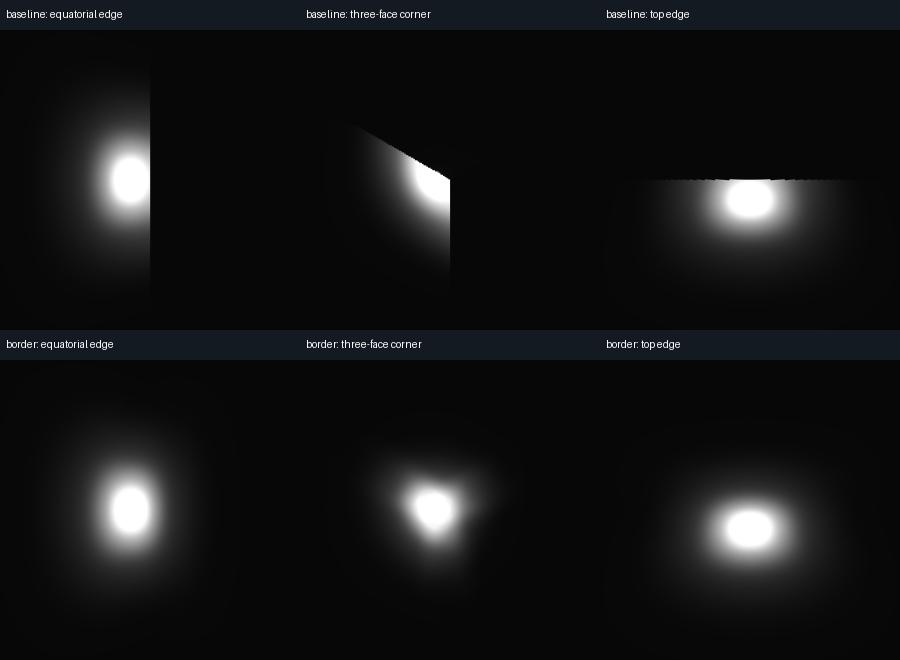
Glow gets cut off at the frustum. Bloom is a screen-space effect; a bright object just outside a face can’t contribute its halo to that face, so the halo stops dead at the edge. The fix is capture borders: render each face with a wider field of view, keep the original pixel density in the 90° core, and blend the overlapping regions in the shader.
# capture_projection.gd
var border := ceili(face_size * percent / 100.0)
var texture_size := face_size + border * 2
var scale := float(face_size) / float(texture_size)
return {"texture_size": texture_size, "uv_scale": scale,
	"fov": rad_to_deg(2.0 * atan(1.0 / scale))}
In the shader, smoothstep weights ramp up only inside the expanded frusta and are normalised across the (up to three) faces that see a direction. With no border the original single-face path is exact. At the recommended 12.5% per edge, a 2048-pixel core becomes a 2560-pixel target (about 56% more pixels per face) and the glow cuts at equatorial edges, corners and the top edge dropped by 99.6%, 99.2% and 99.5% on Forward+.
The camera was one frame late. A camera parented to a BoneAttachment3D on an animated skeleton kept arriving one frame behind the skinned mesh. Skeleton3D applies its final pose and attachment transforms in Godot’s deferred queue, and my rig was copying the camera transform before that ran. The fix was one line:
func _process(_delta: float) -> void:
	# Read the camera after Skeleton3D's deferred pose update,
	# still before Godot flushes Node3D transforms for this draw.
	sync_camera.call_deferred()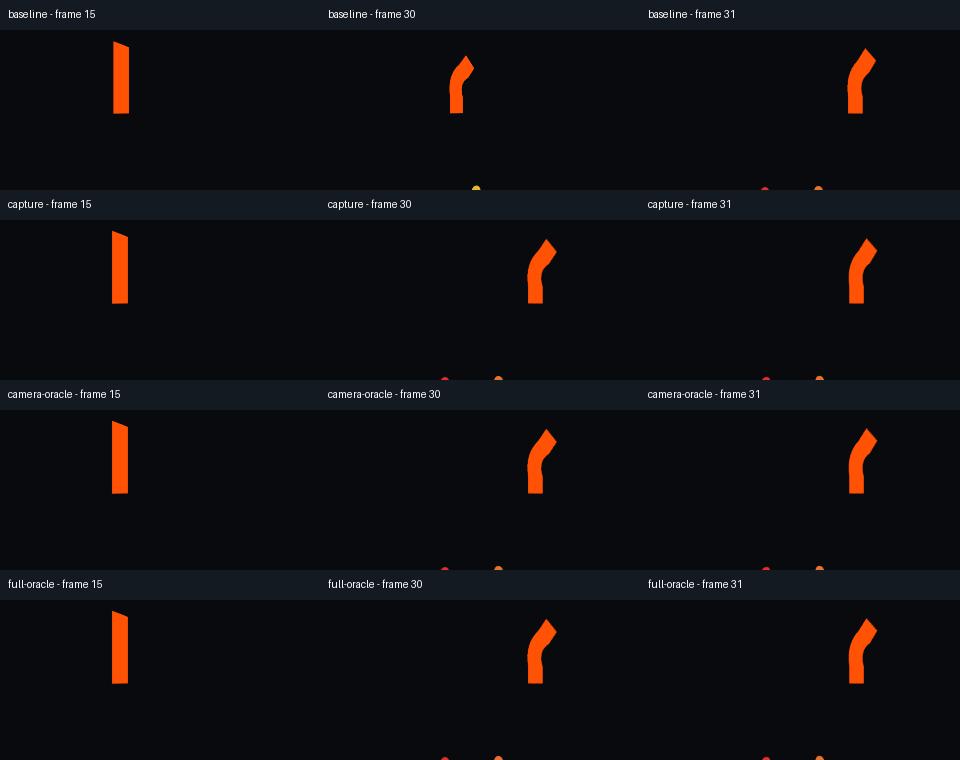
Particles had their own startup problems (the old worker forced the scene root to INHERIT, which resumed scenes that had paused themselves), and the answer there was to respect the authored process mode and require at least two warmup frames before the first delivered frame.
Reviewing without leaving Godot
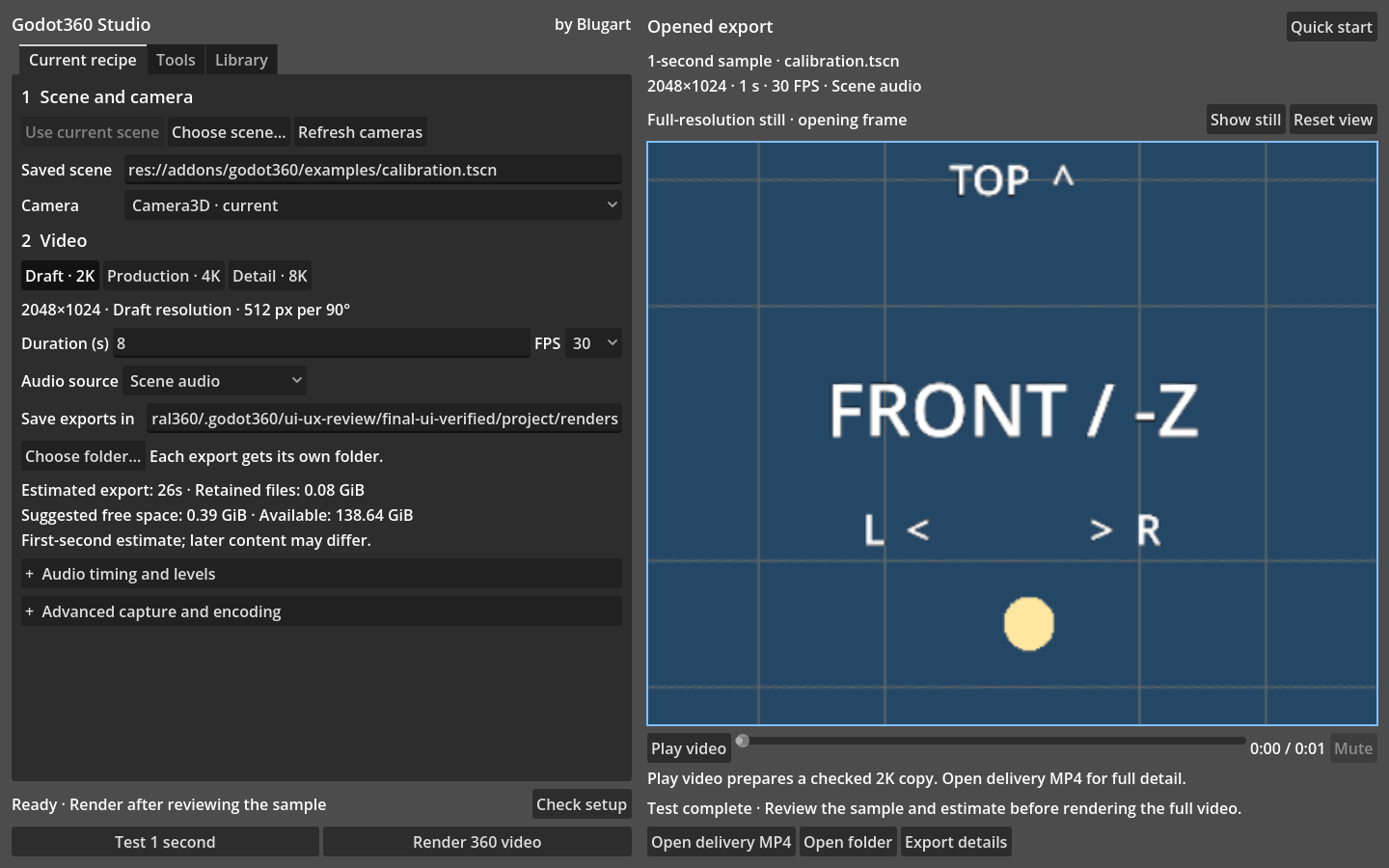
I didn’t want the loop to be “render, open VLC, squint”. The panel shows the first delivered frame in a spherical preview you can drag or steer with the keyboard. Play video prepares a local Theora copy, capped at 2K / 30 FPS so the editor stays responsive, and gives you play, pause, seek and sound. The full-resolution MP4 is untouched. Recent exports remember the last twelve jobs, and any completed capture can be reopened and re-encoded.
Four films as test fixtures
Documentation screenshots of a calibration cube don’t convince anyone. So the repository ships four complete scenes with their export recipes:
- THRESHOLD: sixty seconds, rendered at 7680×3840, four procedural worlds joined by spherical veil transitions. The 80 BPM score is synthesized deterministically in Python and NumPy, no samples; the rendered audio ships with the repo, so the addon itself never runs Python.
- AFTERGLOW: a disco room at 4K where the glass floor lifts with the bass. The lights read the performed note onsets from the score’s cue file, and every animated shader takes an explicit clock so a backward seek is a pure function of film time.
- LUMEN: a 24-second orbital observatory built to exercise native particle trails and rising vapor.
- UMBRAL: the installation that started this. Interactive in Godot, a fixed 12-second sequence on video.
Each of them has its own GDScript checks, so they double as regression tests for camera cuts, music sync and effect boundaries.
Eight days in numbers
| Day | What landed |
|---|---|
| Sep 6 | Versions 0.1 to 0.6: rig, PNG storage, audio mixing, spherical metadata, storage guard, recovery |
| Sep 7 | Beta packaging, THRESHOLD, rename from Umbral360, first-export onboarding pass |
| Sep 8 | In-editor playback, recent exports, capture borders, fixed exposure, bone camera fix, particle timing |
| Sep 9 | Imported GLB characters, head-look modifiers, combined appearance review |
| Sep 10 | Complex particles, LUMEN, AFTERGLOW, TAA/FSR and LightmapGI capture |
| Sep 11 | Combined effects, four sustained 4K/8K production runs |
| Sep 12 | Nothing shipped |
| Sep 13 | Studio polish, Windows support policy, RC1, RC2, public 1.0.0 |
The addon is about 5,000 lines of GDScript across thirty scripts. The tests are bigger than the product: around 9,000 lines of GDScript and Python reviewers that decode every delivered frame and compare it against analytic references. The 1.0 package passes 6,070 checks across five Windows engine/renderer lanes plus 52 native editor checks, all recorded in the repository’s validation log.
What it doesn’t do
Mono only. Stereoscopic ODS, ambisonics and HDR are out of scope for 1.0. Automatic exposure shared across the sphere would need an HDR luminance measurement before tone mapping, so it’s deferred; use authored exposure. Screen-space reflections, depth of field and temporal history can still differ at cube boundaries even with borders.
Windows is the supported platform. Linux and macOS are experimental: Linux under software Mobile rendering has an unresolved mismatch in its first five frames of temporal history, and Mac coverage is headless CI only.
What I learned
The projection is the easy part. Six cameras and a shader is a day’s work. The product is everything that stops the seams from showing, and each seam had a different physical cause.
Estimate before you commit 42 GiB. A one-second probe that runs the real pipeline was worth more than any progress bar.
Verify the file, not the render. A beautiful MP4 with missing sv3d metadata is a flat video on YouTube. Metadata injection and FFprobe checks are part of the export, not a post-processing step.
Engine update order is a feature. The bone-camera bug was invisible until a hard cut, and the fix was understanding when Skeleton3D flushes. Read the scene tree code.
Make the demos into tests. THRESHOLD and AFTERGLOW exist because I needed something worth watching, but they also exercise what synthetic fixtures don’t: hard cuts, transitions between whole worlds and music that has to stay in sync after a seek.
Try it
Godot360 Studio is on GitHub, MIT licensed. It needs Godot 4.7.2 Standard and a native FFmpeg/FFprobe; no Python, no .NET, no export templates. Copy the addon folder, enable the plugin, pick a scene and a Camera3D, click Test 1 second, then Render 360 video.
Watch the four films in 360° first. Drag to look around. That was the whole point.